Supported e-commerce platforms


Overview
The module allows you to import product’s information from Icecat catalog.
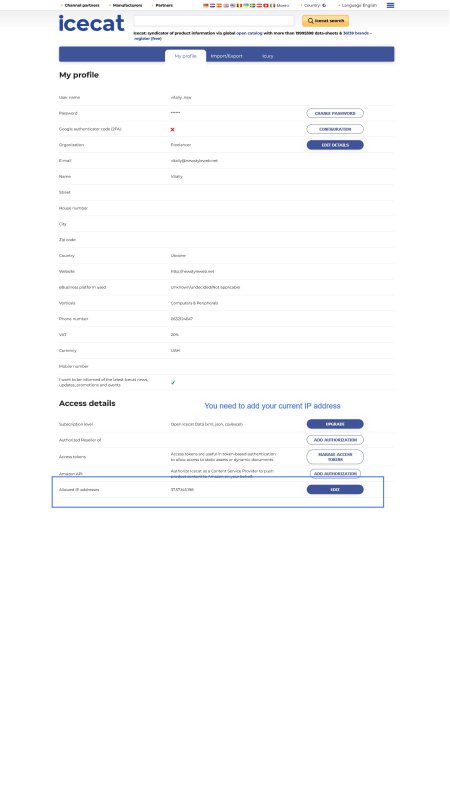
You can use Open Icecat account (free) and Full Icecat account. Some product brands
are available in the catalog only for Full account (for example, Apple, Cisco, IBM etc.).
The module allows you to import product’s information in the language that is installed on your Woocommerce or Prestashop.

Import data
The plugin allows to import next product’s data:
- title;
- short and long summary description;
- barcode (EANs, UPCs);
- reference or MPN;
- product features (Specs);
- product images;
- dimensions and weight;

Available languages
The plugin supports importing product data in more than 40 languages available in the catalog Icecat. You can set the desired language in the plugin settings.

Easy to use
You can easily import product data from the catalog into your store. You can import manually by product barcode or brand and product code from the plugin page. Also, you can use cron job for update data automatically.
Choose your plugin
Frequently Asked Questions
How can I update product information in my store?
You can do this in two way:
1. You can use cron to update your new or old products. In your hosting panel find section called like
"Cron jobs". Set URL found under Cron section of the plugin page to execute with interval more
than 20 minutes. If you have thousands of products to update, set task to execute for example
every 30 minutes. Every execution of cron is able to update up to 100 products.
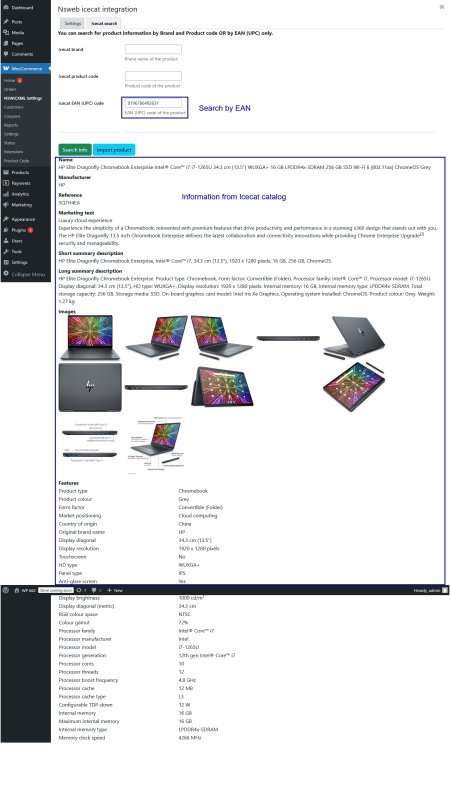
2. Manually - through the 'Icecat search' tab on the plugin page. You need enter the barcode (EAN or UPC) of product OR Brand + Product Code.
1. You can use cron to update your new or old products. In your hosting panel find section called like
"Cron jobs". Set URL found under Cron section of the plugin page to execute with interval more
than 20 minutes. If you have thousands of products to update, set task to execute for example
every 30 minutes. Every execution of cron is able to update up to 100 products.
2. Manually - through the 'Icecat search' tab on the plugin page. You need enter the barcode (EAN or UPC) of product OR Brand + Product Code.
Does the plugin add product brands from the catalog?
Yes. If your WooCommerce has brand functionality into its core. The plugin does not work with brands third-party plugins.
Does the plugin add product categories from the catalog?
No. The plugin does not add categories from the catalog. You can select the category(ies) from your store in the plugin settings to which updated products from the Icecat will be added.
Where can I get support?
You can ask for support on the WooCommerce.com Help Desk by submitting a support ticket. You can also contact us using the contact form on this page.
Can I use Free Icecat account?
Yes. The plugin works with botch icecat account - Free account and Full(paid) icecat account. Product data for some well-known brands (Apple, Casio, HPE and other) is only available with a Free account(paid subscription).
Screenshots
Icecat account configuration
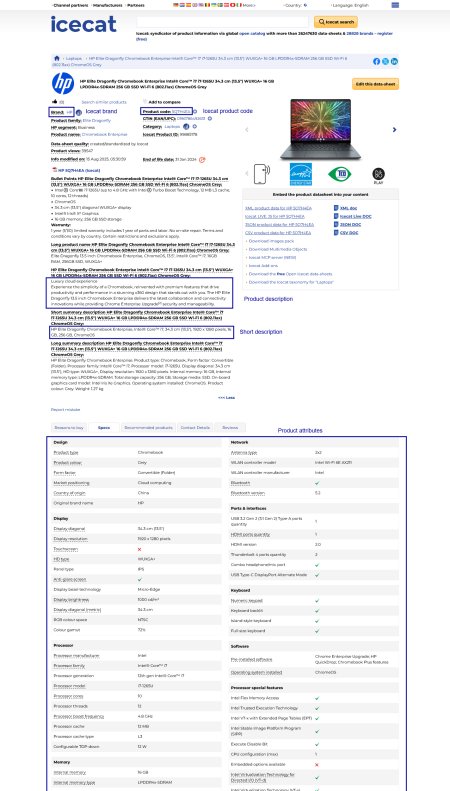
Product data at the catalog
Manual product search via admin panel
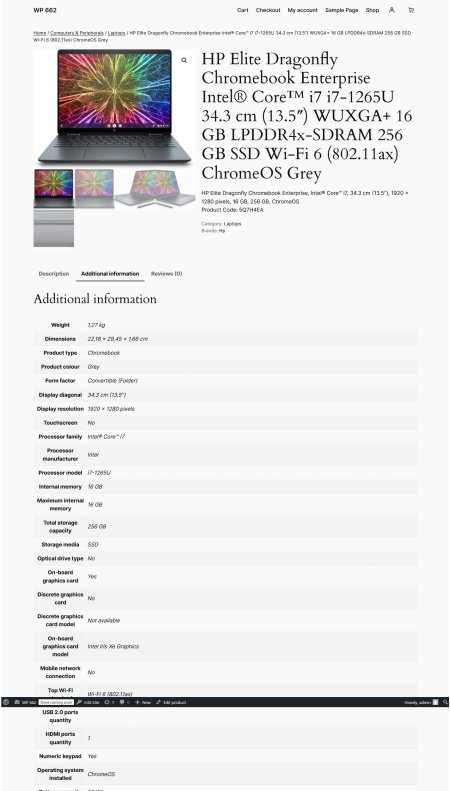
Product page (description)
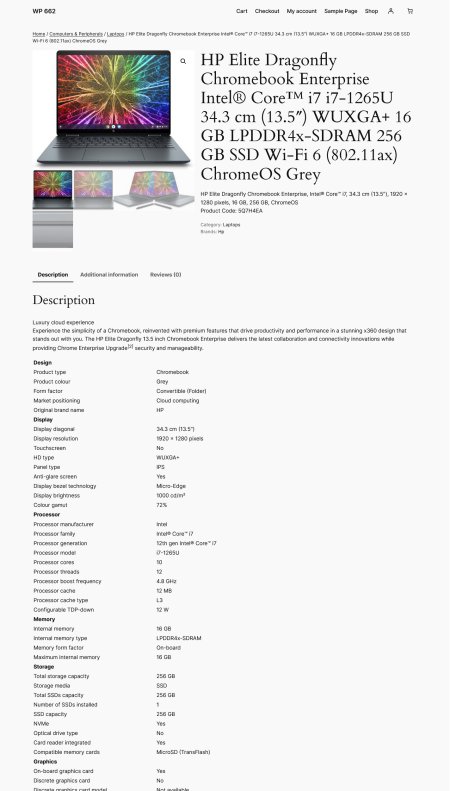
Product attributes